
SmartBox III Service Manual
Introduction
Parts and Functions
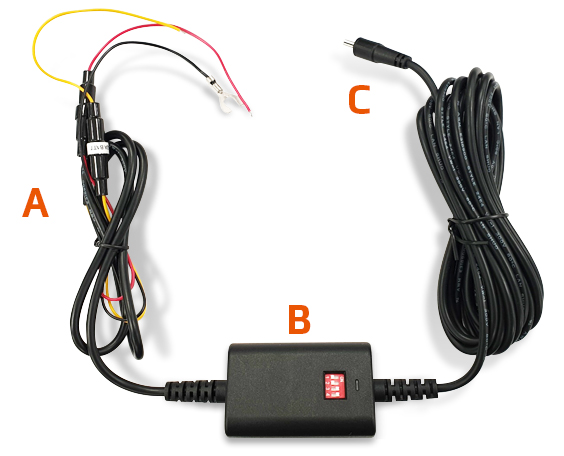
A. Fuse cable
- ACC (red wire)
- B+ (yellow wire)
- GND (black wire)
B. Main unit of Smart Box III
- Time and voltage setting switches
- LED indicator
C. Mini-USB connector
- Connects to the recorder
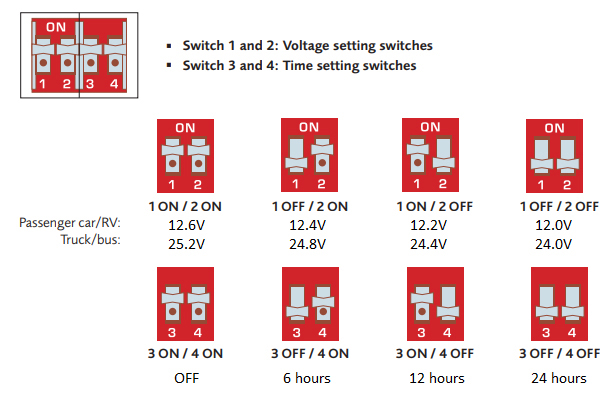
Time and Voltage setting switches
Installation and Setup
1. Locate and open the fuse box inside of the vehicle
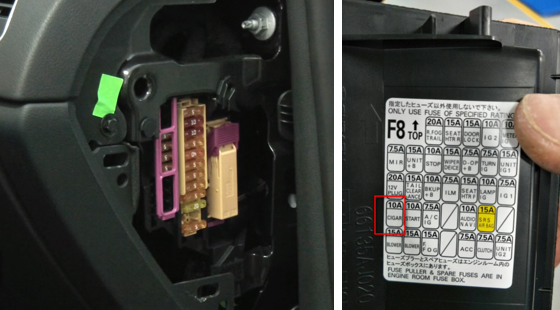
Please note that the installation illustrations are for your reference only. The placement of the fuse box may vary depending on the vehicle model. If you encounter any problems during installation, it is recommended that you contact a skilled installer (e.g. the service personnel of the vehicle) for assistance.
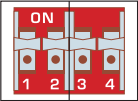
2. Set up the voltage and time by adjusting the switches.
- Setting up the voltage: If the voltage of vehicle battery falls lower than the preset voltage value, the power to the recorder will be disconnected automatically.
- Setting up the time: If the time passes the preset time (by checking the time after vehicle ignition is turned off), the power to the recorder will be disconnected automatically.
3. Check and confirm the vehicle's voltage by using the electricity tester as battery voltages varies by vehicle. You must confirm your vehicle's voltage.
- Use the electricity tester to locate the fuse from which the power is supplied even when the vehicle is turned off, such as the emergency flashing hazard lights, illumination, interior and door lights etc. Connect the yellow wire (B+) to the fuse.

- Use the electricity tester to locate the fuse from which the power is not supplied when the vehicle is turned off, such as the indicator lights and mirror. Connect the red wire (ACC) to the fuse.
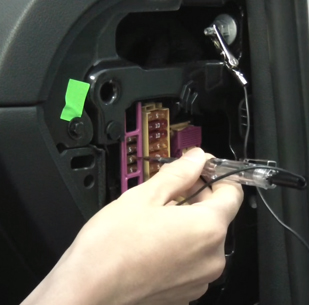
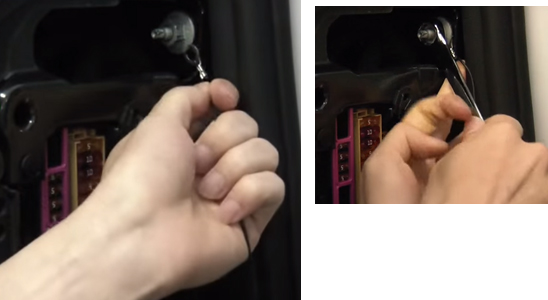
- The black wire (GND) must be connected to the metal part of the vehicle for grounding. If not grounded, this product may not work properly. You can use a screw to attach the black wire to the vehicle (try to find a screw hole on any metal part).
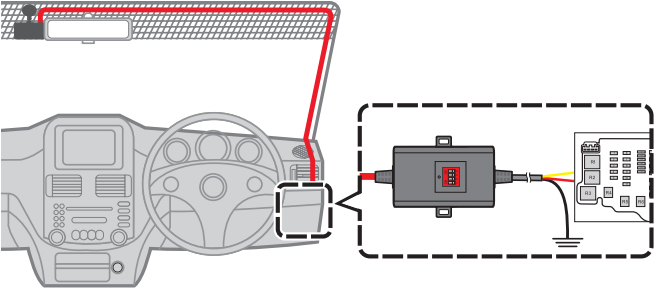
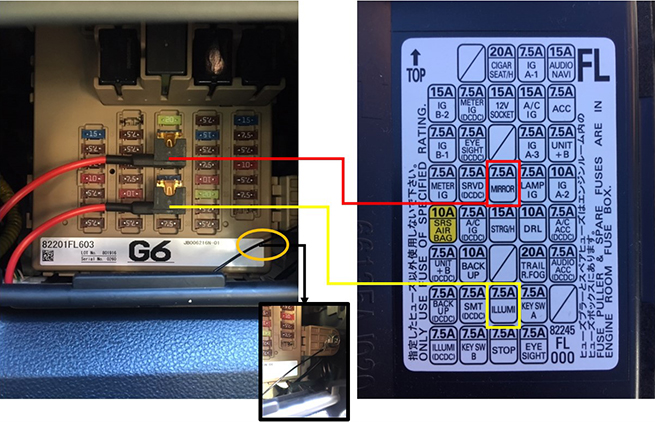
Connect the Smart Box III to the recorder and confirm it is working properly by the LED indicator that glows in green. Then you can arrange the cable and complete the installation.
The length of the provided cable is about 4.5 metres. You can route the cable through the top ceiling and the A-pillar so that it does not interfere with driving. Make sure that the cable installation does not interfere with the vehicle airbags or other safety features.
Note:
- Install SOP:
Set up the voltage and time - Connect ACC/B+/Ground wires - Connect the USB cable to dashcam - Doesn’t enter the parking mode:
Disconnect the USB cable with dashcam - Disconnect the Ground wire - Reconnect the Ground wire - Reconnect the USB cable with dashcam - Reset the voltage and time:
Disconnect the USB cable with dashcam - Disconnect the Ground wire - Set up the voltage and time - Reconnect the Ground wire - Reconnect the USB cable with dashcam